iPhone 向け・第二種電気工事士 技能試験(令和8年度 候補問題)

単線図を見て、
白と黒をつなぐ。

「けっせん」は、技能試験の候補問題 13 問の複線図を、端子をつないで描き、試験の決まりで採点するアプリです。描いた線の電気のつながり・色・リングスリーブと刻印まで見て、欠陥の場所を図の上で光らせます。

App Store で見る(準備中)

iPhone 専用の有料アプリです。一度買えば、13 問ぜんぶ使えます。あとからお金はかかりません。広告もありません。
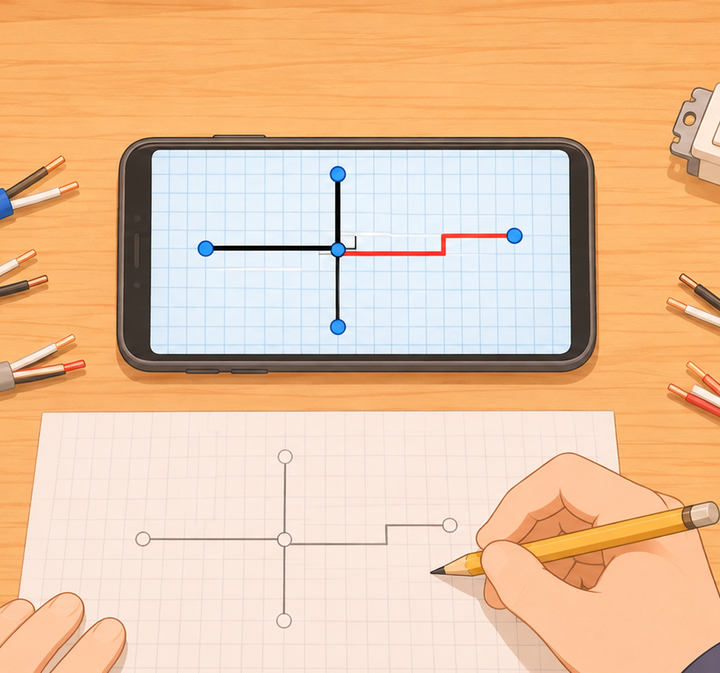
作業机の上のスマートフォンと、VVF ケーブル・リングスリーブ・圧着工具の絵

こんな困りごとのために作りました

紙に描いた複線図が、合っているか分からない

描いたら「採点する」を押すだけ。スイッチのすべての入り切りで、施工条件どおりに点くか・短絡しないかを確かめ、極性・電線の色・ケーブルの心線の数・接続方法・スリーブと刻印を見ます。欠陥は、図の上のその場所が光ります。

複線図の解説が無い

13 問すべてに手本の複線図があります。白(接地側)→ 黒(非接地側)→ スイッチから器具へ → 接地線 → ボックスの接続、の順に1段ずつ見られます。

最初の1問だけ無料で、あとから課金

買い切りで 13 問ぜんぶ。アプリ内課金はありません。

図が小さくて見づらい

図はすべて描き直したもので、拡大しても崩れません。器具の端子には、受金・W・S1・0・1・3 などの名前を書いています。

けっせんの流れ

まず No.1 を手本どおりになぞる

次につなぐ端子・決める色・接続が光るので、そのとおりに押すだけ。操作を覚えられます。

毎日「今日の1問」

まだ欠陥なしで描けていない問題から順に出ます。描き終えるまでの時間を毎回はかります(画面を消しても狂いません)。

採点して、直して、手本を見る

欠陥は種類ごとに並び、押すと図の上でその場所だけが光ります。描きかけは問題ごとに残ります。

受検日の7日前からは「本番の通し」

13問から1問を、ヒントなしで時間をはかって描きます。最近の欠陥の種類も出ます。

できること

候補問題令和8年度の No.1〜13(3路・4路スイッチ、タイムスイッチ、自動点滅器、リモコンリレー、三相200V、接地極付コンセント、金属管・PF管の IV 線など)
描き方端子を2つ押すとつながり、線は図のケーブルに沿って自動で引かれます。線を押して色、ボックスの点を押して接続を決めます
採点誤接続・誤結線、器具の極性、電線の色別、ケーブルの心線の数、接続方法(リングスリーブか差込形コネクタか)、スリーブの大きさと刻印
手本描く順に5段。どの端子どうしをつなぐか、ボックスの接続ごとの電線の本数とスリーブ
決まりの早見電線の色の決まり、リングスリーブと刻印の表、端子台(タイムスイッチ・自動点滅器・リモコンリレー)の端子
記録描き終えるまでの時間と欠陥の移り変わり。記録はあなたの iCloud に控えます
iPhone Duo開いて横にすると、左に施工条件と採点の結果、右に複線図を並べます
広告・課金・登録広告なし・アプリ内課金なし・アカウント登録なし。ネットにつながっていなくても使えます。開発者はデータを集めません

施工条件は練習用です。本番は、問題用紙に書かれた施工条件が正です。寸法・被覆のはぎ取り・締め付けなど、実物の作業は判定しません。

よくある質問

手本は正しいですか

手本は、図の電線のつながりから道具で導き、スイッチのすべての組み合わせで点くかを数え直す検査と、令和8年度上期の試験の材料表・公表された解答例との突き合わせを通しています。それでも誤りを見つけたら、設定の「問題の誤りを知らせる」から送ってください。

本番の問題ですか

図は、試験センターが公表した候補問題をもとに描き直したものです。本番では、候補問題の中から1問が出て、施工条件は問題用紙に書かれます。けっせんは試験センターとは関係のない、個人が作った練習アプリです。

機種変更したら記録はどうなりますか

記録の控えを、あなたの iCloud に置いています。新しい iPhone で同じ Apple アカウントにサインインしていれば、続きから使えます。

返金はできますか

返金は Apple の規定に従います。reportaproblem.apple.com からお申し出ください。開発者が直接返金することはできません。

お問い合わせ

不具合や気になることがあれば、ryo.tsuzukihashi@tsuzukit.com までご連絡ください。作っているのは個人開発者の續橋涼(TsuzuKit)です。

For iPhone · Japan's Type 2 Electrician practical exam (2026 candidate problems)

Read the single-line diagram.
Wire white and black.

Kessen lets you draw the wiring diagrams for all 13 candidate problems of the practical exam by connecting terminals, then checks them by the exam's rules: how the circuit works, polarity, wire colors, ring sleeves and crimp marks. Defects light up right on the diagram.

View on the App Store (coming soon)

A paid iPhone app. One purchase unlocks all 13 problems. No in-app purchases, no ads. Problems and work conditions are in Japanese, since this is practice for a Japanese exam.

Illustration of a phone on a workbench with VVF cables, ring sleeves, and a crimping tool

Built for these frustrations

You can't tell if your hand-drawn diagram is right

Just tap “Check”. Kessen tries every switch combination to see that things light as required with no short circuit, and checks polarity, wire colors, cable core counts, joint methods, and sleeves and marks. Each defect lights up where it is.

No explanation of the wiring diagrams

All 13 problems have a model answer you can step through in drawing order: white (grounded side), black (ungrounded side), switches to fixtures, ground wires, then box joints.

Only the first problem is free

One purchase, all 13 problems. No in-app purchases.

Diagrams are small and hard to read

Every diagram is redrawn and stays sharp when zoomed. Terminals are labeled (screw shell, W, S1, 0, 1, 3, and so on).

How it works

Trace No.1 first

The next terminals, color, and joint light up, so you learn the controls by following along.

Today's problem, every day

Problems you haven't drawn without defects come first. Every attempt is timed, and the timer stays accurate even if the screen turns off.

Check, fix, and see the model answer

Defects are listed by type; tap one to highlight just that spot. Your in-progress drawing is kept per problem.

From 7 days before your exam: the Exam Run

Draw one of the 13, timed and without hints, and see your recent defect types.

Features

Problems2026 candidate problems No.1–13 (3-way and 4-way switches, time switch, automatic light switch, remote control relays, 3-phase 200V, grounded outlets, IV wires in metal and PF conduit, and more)
DrawingTap two terminals to connect them; wires follow the diagram's cables automatically. Tap a wire for its color and a box dot for its joint
CheckingMiswiring, fixture polarity, wire colors, cable core counts, joint method (ring sleeve or push-in connector), sleeve size and crimp mark
Model answersFive steps in drawing order, with the wire count and sleeve for every box joint
Quick rulesWire color rules, the ring sleeve and crimp mark table, and terminal-block terminals
RecordsYour time and defects over time, backed up to your iCloud
iPhone DuoOpen it sideways to see the conditions and results on the left and the wiring diagram on the right
Ads, purchases, accountsNo ads, no in-app purchases, no account. Works offline. The developer collects no data

The work conditions are for practice; in the exam, the conditions on your question sheet take precedence. Physical work such as lengths, stripping, and tightening isn't checked.

FAQ

Are the model answers correct?

They are derived by code from the diagrams' connections, re-checked by trying every switch combination, and compared with the materials lists and published answer examples from the first 2026 exam. If you still find a mistake, please report it from Settings.

Are these the actual exam problems?

The diagrams are redrawn from the candidate problems published by the Electrical Technician Examination Center. In the exam, one of them is given with its work conditions on the sheet. Kessen is an independent practice app and is not affiliated with the Center.

What happens to my records if I change phones?

A backup is kept in your iCloud. Sign in with the same Apple Account on your new iPhone and continue where you left off.

Can I get a refund?

Refunds follow Apple's policy. Please request one at reportaproblem.apple.com. The developer can't issue refunds directly.

Contact

For bugs or questions, email ryo.tsuzukihashi@tsuzukit.com. Kessen is made by independent developer Ryo Tsuzukihashi (TsuzuKit).